Connecting Azure AD with KACE Cloud
There are two ways to connect Azure AD with KACE Cloud:
- Automatically connect Azure AD and KACE Cloud: With KACE Cloud listed as a cloud-based MDM solution in the Azure AD app gallery, you can quickly connect KACE Cloud to your Azure AD subscription. This automated process takes just a few easy steps to get started, and is recommended over the manual procedure.
- Manually connect Azure AD and KACE Cloud: This manual flow is more complex than the automatic process with the exact same outcome. Keep in mind that the manual steps required in this type of configuration can cause errors. While this process is supported, however, it is always recommended to use the automated flow, as described above.
To get started with connecting Azure AD with KACE Cloud:
- Ensure that you have all of the following Azure AD pre-requisites in place before you establish a connection to your Azure AD environment:
- An Azure AD P2 subscription to support Autopilot or Azure Domain Join.
- A Global Administrator role in Azure AD.
- An SSO configuration for KACE Cloud with the Azure AD subscription.
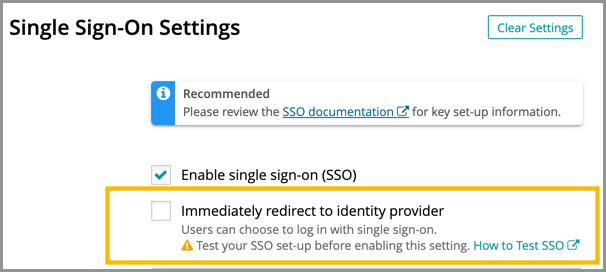
- If SSO is already configured with Azure AD, select the Immediately redirect to identity provider check box.
- If SSO is not already configured, see SAML: Integrate with Microsoft Azure AD for detailed instructions.